3D for e-commerce6 min read
Where a 3D model earns its keep away from the product page
Customer service, dealer training, spare parts, packaging and trade fairs. The uses of a 3D product model that never show up in a marketing plan.
By CharpstAR · 21 Mar 2023 · Updated 22 Sept 2026
Part of 3D models for e-commerce: the complete guide
The business case for a 3D model is almost always written by the e-commerce team and stops at the product page. That is where the conversion numbers live, so it is a reasonable place to start. It is a bad place to stop, because the departments that get the most relief from a good product model are usually customer service, retail sales and after-sales, and none of them were in the meeting.
This article is about those uses. Marketing reuse across ads, social and email is a real thing and we have written about it separately; here we are deliberately looking at everything else.
Customer service: answering a question with an image instead of a paragraph
Support agents spend an unreasonable amount of time describing objects in words. Which way round does the bracket go. Is the cable on the left or the right. How high is the back from the floor. Does the arm come off.
A model turns those into a screenshot. An agent opens the product in a viewer, rotates to the angle in question, takes a picture, and sends it. The answer is unambiguous, it takes fifteen seconds, and it does not depend on the agent's ability to write clearly about geometry.
The second-order effect is on pre-purchase support. A shopper emailing "will this fit through a 78 cm door" is a shopper about to either buy or leave. If the agent can send back the diagonal measurement annotated on the model, that conversation ends in a decision instead of a maybe.
If you want a single number to build the case on, use your own: count the support tickets whose category is a question about the physical product. In most furniture and appliance businesses it is a much larger share than anyone expects.
Dealer and retail staff training
Brands that sell through dealers have a structural problem: the person recommending your product has never seen most of your range. The showroom has four of your forty models, the catalogue is out of date, and the training was eighteen months ago.
A set of models solves the specific part of that which is about the physical product. Staff can turn a stove or a sofa over on a tablet, compare two models side by side at the same scale, and see the options they cannot physically stock. It does not replace product knowledge about performance or installation, but it removes the "I think it looks a bit like the other one" conversation.
This is close to what happened at Contura. The stated effect of their configurator was a more effective journey across both digital and physical sales, including better in-store visits, because customers arrived at the retailer already narrowed down. The same asset works in both directions: it prepares the customer and it equips the retailer.
Assembly instructions and after-sales
Flat-pack instructions drawn from CAD are a known art. Instructions drawn from a marketing-quality product model are better, because the model already carries the materials and the real proportions, so a step image looks like the thing in the box rather than a wireframe.
More useful still is the after-sales case. Spare parts ordering is a guessing game for customers: they need a leg, a hinge, a specific cushion cover, and they do not know its name. An exploded view generated from the model, with each part labelled and clickable, turns that into a selection instead of a phone call. For a business selling durable goods, this also supports the repairability story that customers increasingly ask about, and it does so with something concrete rather than a claim.
Packaging, print and the things with long lead times
Packaging artwork, catalogues, dealer price lists, in-store signage and trade press adverts all need product images, and all of them have lead times that do not fit a photography schedule. A render is available the moment the model is, which is often months before the first physical sample exists.
Two practical notes. Print needs higher resolution and a different colour workflow than the web, so agree the output specification with whoever builds the model rather than discovering it at the printer. And a render used on packaging has to match the product exactly, because a customer comparing the box to the contents is the least forgiving audience you have.
Trade fairs and showrooms
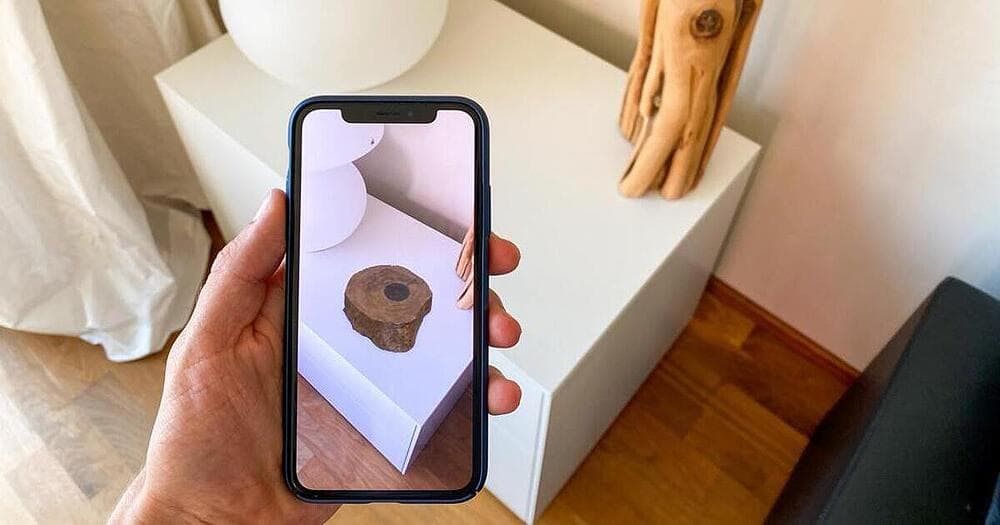
The hardest constraint at a trade fair is floor space. You can bring six products and you sell forty. A screen running the configurator, or a tablet with AR, covers the rest of the range at real size on the stand floor. On Android this runs through Scene Viewer and on iPhone and iPad through AR Quick Look, so there is nothing to install on a borrowed device.
For showrooms, the same trick works for the options you do not display: the customer sees the sofa in the room in the fabric it comes in, not the one fabric you had space to upholster.
Internal product development
If your models are built from CAD, as Contura's were, they close a loop back towards development. Design reviews on a shared model, packaging engineers checking dimensions against a carton, marketing seeing the product before the sample arrives. This is a smaller win for a pure retailer and a large one for a manufacturer.
What this changes about the business case
Written only as an e-commerce line item, 3D competes with everything else the e-commerce team wants. Written across departments, it looks different:
| Department | What the model replaces | Frequency |
|---|---|---|
| Customer service | Written descriptions of geometry, escalations | Daily |
| Retail and dealer sales | Physical samples that are not in the showroom | Every visit |
| After-sales | Spare part identification by phone | Ongoing |
| Packaging and print | Photography with a lead time | Per launch |
| Events | Floor space and shipping of display units | Per fair |
| Product development | Waiting for a physical sample | Per project |
That spread is also the argument for treating models as maintained infrastructure rather than a project deliverable. It is why our pricing is a subscription: Basic from 10 dollars per product per month on a 12-month term with a minimum of 100 variants, Value from 20 dollars per model per month on a 24-month term, Enterprise quoted. If six departments depend on an asset, somebody has to keep it current.
The honest limits
Not every use above suits every business. If you sell through your own site only, the dealer training case is worth nothing to you. If your products are small and simple, support tickets about geometry barely exist. And a model built purely for a fast-loading product page, at the roughly 4 megabytes Shopify suggests as a target, is not automatically the same asset you want for print. Ask for both outputs from the same source model rather than assuming one file does everything.
Our other clients found their own version of this. Sweef turned existing internal 3D resources into something customers use. MELIMELI reported that the functionality improved internal work as well as the customer experience.
The cheapest way to test any of it is one model. Send us a single product and we will build it for free, yours to keep, and you can try it on a support ticket before you try it on a product page. What we build is on solutions.
Sources
- Google, Scene Viewer documentation.
- Apple, AR Quick Look.
- Shopify, 3D e-commerce.