3D for e-commerce5 min read
How fabrics and materials are built for a 3D product configurator
PBR textures, scanning a real fabric, and getting colour to match the swatch. How material accuracy actually works in a configurator, using MELIMELI.
By CharpstAR · 4 Oct 2023 · Updated 22 Sept 2026
Part of 3D models for e-commerce: the complete guide
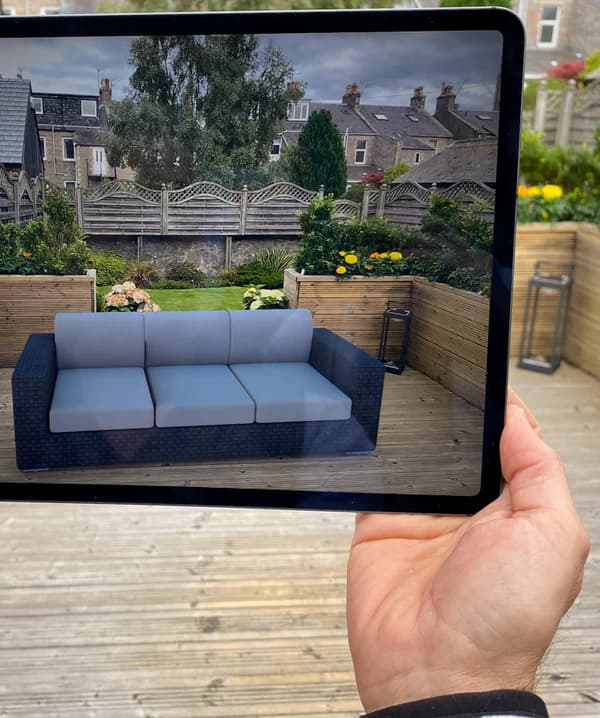
If you sell upholstered furniture, the single most expensive thing you can get wrong online is the fabric. Not the shape, not the price. The fabric. A customer who ordered a sofa they believed was warm grey and received a cool grey sends it back, and the freight on a returned sofa is not recoverable.
So when a configurator offers thirty fabrics, the question is not whether it looks impressive. It is whether the thirtieth fabric on the screen is the same colour and the same texture as the swatch in the customer's hand. This article is about how that is actually done.
What a material is, technically
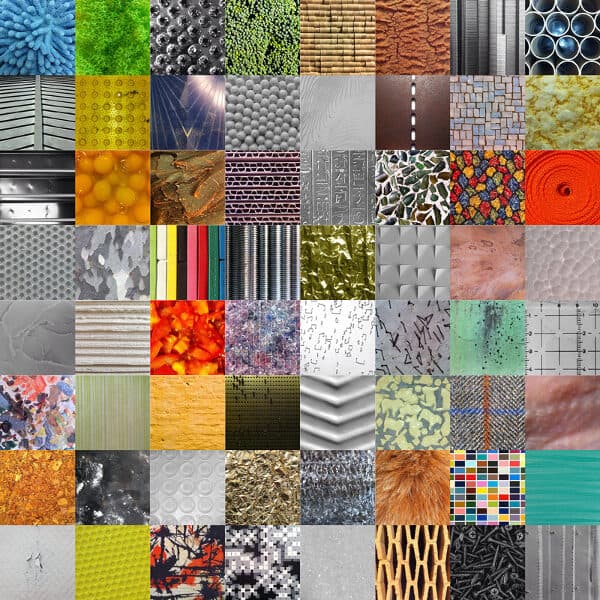
A modern 3D material is not an image of a fabric. It is a set of layered maps that together tell the renderer how a surface behaves under light. The standard is physically based rendering, usually shortened to PBR, and it is what every web viewer and configurator uses, including anything built on glTF.
| Map | What it controls | Why it matters for fabric |
|---|---|---|
| Base colour | The underlying colour with lighting removed | The whole colour-match problem lives here |
| Roughness | How sharp or diffuse reflections are | Separates matte linen from a satiny weave |
| Normal | Fine surface direction, faked geometry | Gives the weave its relief without adding triangles |
| Metalness | Whether the surface is metal | Zero for textiles, relevant for hardware and legs |
| Ambient occlusion | Self-shadowing in crevices | Depth in a boucle or a heavy knit |
| Opacity | Transparency | Sheers, mesh, cane |
A material built with only a base colour image looks flat and slightly plastic, and shoppers read it as fake without being able to say why. A material built with the full set reads as cloth.
Getting the maps from a real fabric
There are three honest ways to do it, in descending order of accuracy.
Scan the physical swatch. A flatbed scan at high resolution under controlled light, or a purpose-built material scanner, gives a true record of the weave and the colour. The scan is then made tileable so it can repeat across a large surface without a visible seam, and the individual maps are derived from it. This is the method that survives a side-by-side comparison with the real swatch, and it is what we use where the client can send us physical samples.
Photograph the swatch properly. A flat, evenly lit, colour-referenced photograph with a known grey card in frame gets close. It needs the colour reference. A phone photo of a fabric in a showroom has the showroom's light baked into it, and everything downstream inherits that error.
Author it from the specification. For simple materials, a plain woven cotton in a known colour, a competent artist builds the maps from the weave type and a Pantone or NCS reference. This is fine for basics and unconvincing for anything with character.
The mistake worth avoiding is the fourth option nobody admits to: taking the supplier's marketing photo of the fabric and using it directly as a texture. It carries baked lighting and shadow, it does not tile, and it will look wrong the moment the model is lit differently.
Scale is half the problem
A fabric texture has a real world size. A weave repeat might be three millimetres, a boucle loop eight. If the texture is mapped at the wrong scale on the model, the sofa either looks like it is upholstered in canvas or in a microscopic pattern, and shoppers notice immediately even if they cannot name the issue.
Getting this right means knowing the physical repeat of the material and the real dimensions of the model, and mapping accordingly. It is the reason an accurate, correctly scaled model matters before any material work starts. This is also why patterned fabrics, stripes and large florals need per-model attention rather than a global material: the pattern has to run the right way and align across cushions the way it would in the workshop.
Colour accuracy, which is where it usually goes wrong
Three things sit between your swatch and the customer's screen, and all three can shift the colour.
- The capture. If the source is a photograph with unknown lighting, the colour is already wrong before anything else happens. Use a colour reference.
- The colour space. Base colour maps live in sRGB, the other maps do not. Getting that wrong produces washed out or over-saturated results, and it is a frequent silent bug in cheaply produced assets.
- The lighting in the viewer. A configurator that lights the model with a warm studio environment will render every fabric warmer than the swatch. The fix is a neutral environment for the product view and a separate, more atmospheric environment for lifestyle renders.
None of that gets you to a guaranteed match, because the customer's screen is uncalibrated and you cannot control it. That is the honest limit. What you can do is remove every error you control, and keep offering physical swatches for the final decision. A configurator that gets a customer to the right two fabrics, then posts them samples, beats one that pretends to be a colour proof.
Why this is cheaper than photography once the catalogue grows
A sofa in four sizes and thirty fabrics is one hundred and twenty upholstered products to photograph, and each one has to be manufactured to be photographed. As a 3D asset it is four geometries and thirty material sets. Adding next season's five fabrics is five material builds and no production run at all.
That is the actual economics of a configurator, and it is why the material library, not the model, becomes the valuable thing over time. MELIMELI reached the point where the fabric library was the asset and new products simply inherited it.
What to ask for
- Materials built from scans or colour-referenced photography of your actual swatches, not from supplier marketing images.
- Correct real-world texture scale, confirmed against a physical sample.
- The source material files, so the library outlives the current supplier.
- A neutral lighting environment for the product view.
- A plan for patterned fabrics that handles pattern direction and alignment per model.
We do this for furniture brands and we will do one for free so you can compare it against the real thing on your desk. Send us a product and a swatch. Free sample here. Pricing per product is on prices, and what is included at each tier is on solutions.