3D for e-commerce6 min read
AR on a product page: the do's and don'ts that actually matter
Where to put the AR button, what to call it, what the poster should show, and what happens on devices that cannot do AR. Practical rules from live pages.
By CharpstAR · 22 Sept 2026
Most AR implementations on e-commerce sites do not fail because the technology is hard. They fail because the button is in a tab nobody opens, the label says something nobody understands, or the page shows a grey box for two seconds and the shopper scrolls past.
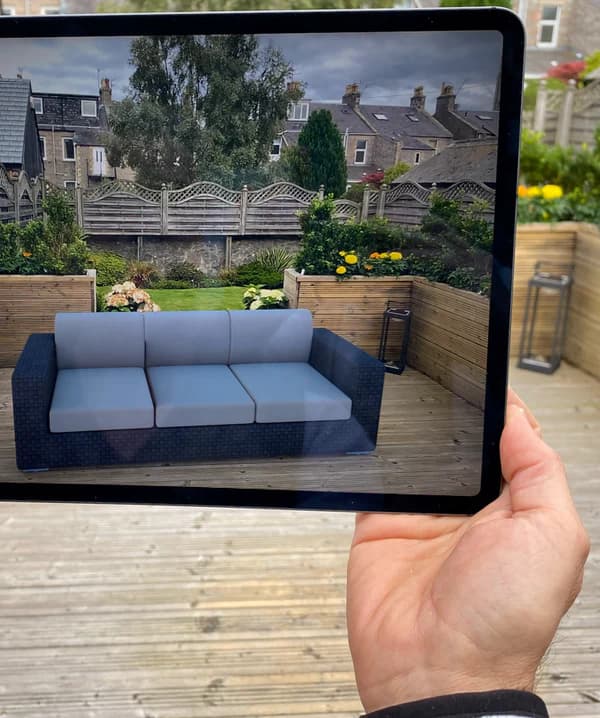
The AR part is close to solved. On Android, Scene Viewer takes a glTF 2.0 or GLB file and places it in the room. On iOS, AR Quick Look takes a USDZ and does the same, on any device running iOS 12 or later. Both are built into the operating system. Nobody installs anything. What is left is a set of product page decisions, and those are where the difference between a feature and a working feature sits.
Here is what we have learned putting these live on furniture, stove and home product catalogues.
Do put the 3D viewer in the main gallery, not in a tab
This is the biggest one. The 3D viewer belongs in the same carousel as the product photos, ideally first or second, not in an accordion labelled "3D and AR" below the delivery information.
The reason is behavioural. Shoppers scan the gallery. They do not go looking for a feature they did not know existed. A viewer in a tab gets a fraction of the traffic of the same viewer sitting where the second photo used to be, and the model cost the same either way.
Finish
Log store
Floor plate
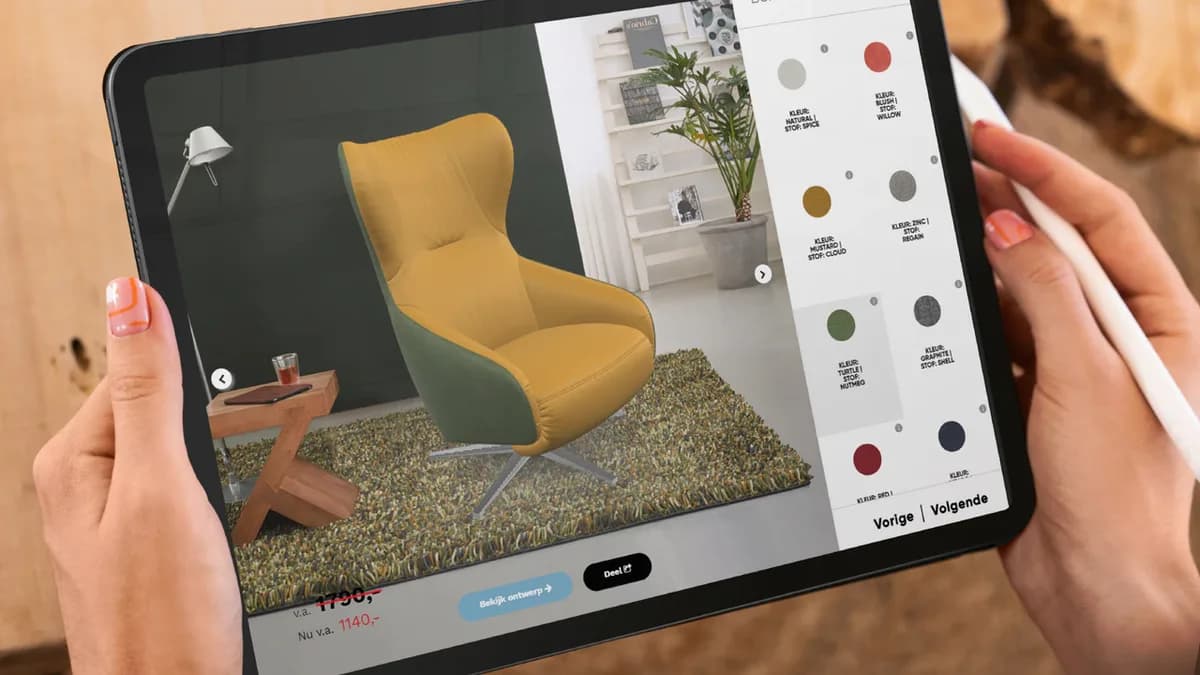
This is roughly the size and position a product page viewer should have: in line with the images, not hidden in a tab.
Do treat rotation as the main event and AR as the extra
AR placement needs camera permission, floor detection and a bit of space. Rotation needs a thumb. On most pages we see, far more people spin the model than open AR, and rotation works on desktop too. So spend your effort on the viewer: good default camera angle, dimension lines, a model that looks right at first frame. The AR button is the second thing, not the first.
Don't call it "AR"
"View in AR" is the industry default and it is fine, but it is not the best wording we have tested. Shoppers understand outcomes better than technology names. "See it in your room" tells someone exactly what will happen. "View in your space" works. "Try in your home" works.
Keep the AR glyph or a small cube icon next to it so people who do know the term recognise it instantly, and keep the label short enough to fit on one line on a 360 pixel wide screen.
| Weak | Better | Why |
|---|---|---|
| "AR" | "See it in your room" | States the result, not the technology |
| "Launch 3D experience" | "Spin the 3D model" | Names the actual action |
| "Interactive view" | "View in your space" | No ambiguity about what happens |
Do get the poster right
The poster is the still image shown while the 3D model loads. It is the most neglected asset in a typical implementation, and it is what a lot of fast-scrolling visitors see for the whole of their visit.
It should be the same product, at the same angle and size and on the same background as the model's first frame, so the swap to the live model is invisible. It should be a real image file with dimensions set, so the page does not jump. A poster at a different angle from the starting camera creates a visible flick that reads as a bug.
Do keep the model small
Google's Scene Viewer documentation recommends models under 10 MB, sets a hard limit of 15 MB for binary files, and suggests 2048 by 2048 textures, 100,000 triangles as a maximum with 30,000 to 50,000 as the ideal range, and around ten materials. Shopify puts the ideal GLB for a product page at roughly 4 MB.
A 40 MB model on mobile data will either not load or will load after the shopper has left. If your supplier hands you something over 15 MB, send it back.
Don't autoplay a spin
Rotating the model automatically on load feels impressive in a demo and irritating in use. It moves the thing the shopper is trying to look at, it eats battery, and it competes with scrolling. A single slow quarter turn on first view, then stop, is enough to signal that the model is interactive. Better still, a small "drag to rotate" hint that fades after the first interaction. And respect the reduced motion setting.
Do plan for the devices that cannot do AR
Not every visitor gets AR. Scene Viewer needs an ARCore supported device on Android 7.0 or later with up to date Google Play Services for AR. Desktop browsers do not do AR at all.
The right fallback is to keep the 3D viewer, hide or downgrade the AR button, and never show a message that reads like a failure. A desktop visitor who can rotate the model has had a good experience. A modal saying "AR is not available on this device" turns that into a rejection, and that sentence has never sold anything.
Do add dimension lines
Half the value of a 3D model is answering "how big is it", and most people who need that answer will never open AR. Dimension lines drawn on the model, in the shopper's units, do that job on every device. They also make the AR session better, because someone who already knows the sofa is 212 cm wide arrives checking a specific gap.
Don't bury the model in a lazy-load that never fires
Lazy loading a 3D viewer is correct: you do not want to pull a multi-megabyte model for a visitor who bounces in two seconds. But the trigger matters. Loading when the viewer enters the viewport is right. Loading only after a click on an overlay adds a step and loses people.
And never replace the interactive viewer with a static image to make a speed score look better. A page that scores well because it removed the thing people came to use has not been optimised, it has been broken.
Do measure the right three things
Once it is live, track: how many product page sessions reach the viewer, how many of those rotate it, and how many open AR. Then compare conversion between sessions that interacted with the model and sessions that did not, on your own traffic.
Do not judge the project against published industry figures. Shopify reported in 2020 that interactions with products carrying 3D or AR content converted 94 percent more often than the same kind of products without, and Rebecca Minkoff saw a 65 percent purchase lift on AR-enabled pages. Those are real numbers from a self-selected set of merchants who modelled their better products. Use your own baseline.
A short checklist
- 3D viewer in the main gallery, first or second slide
- Poster image identical to the model's first frame
- Button text states the outcome, not the technology
- Model under 10 MB, textures at 2048 or below
- Dimension lines on by default
- AR button hidden gracefully where AR is unavailable
- No autoplay spin, reduced motion respected
- Keyboard focusable controls
- Rotation rate, AR open rate and interaction conversion in your analytics
Our clients ended up at roughly this configuration. Sweef runs a modular sofa configurator with in-room placement. Contura puts wood-burning stoves at true size in a living room, where clearance is the whole question. MELIMELI reuses the same models across shop and campaign material.
If you want to test this on a real page rather than a slide deck, we will build a 3D model of one of your products for free. Send us one product and the model is yours. What comes after is on solutions and prices: Basic from $10 per product per month on 12 months with a minimum of 100 variants, Value from $20 per model per month on 24 months, Enterprise quoted.
Sources
- Google, Scene Viewer documentation.
- Apple, AR Quick Look.
- Shopify, 3D e-commerce.
- Shopify, merchant data on 3D and AR content, September 2020.
- Shopify, AR shopping.